
Why Color Modes Matter in Printing
You’ve spent hours perfecting your logo design on your computer screen. The colors look exactly right—vibrant, balanced, professional. Then your printed stickers arrive, and the colors are off. The bright red looks dull. The electric blue turned purple. What happened?
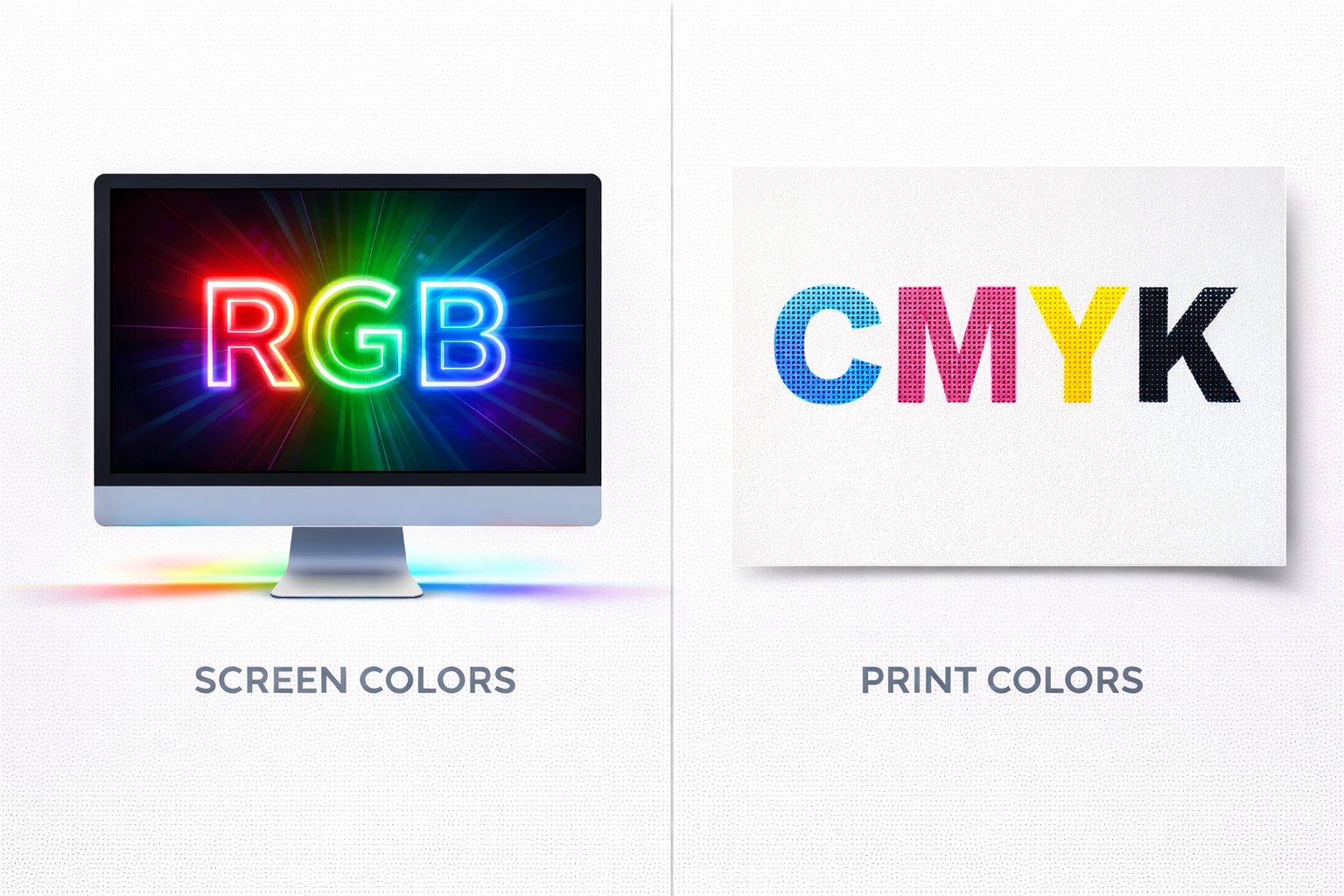
The answer is simple: your design was created in RGB (the color mode for screens), but printing requires CMYK (the color mode for physical materials). Understanding the difference between these two color modes can save you from disappointing results and wasted money.
What is RGB?
RGB stands for Red, Green, Blue—the three colors of light that screens use to display images. Every color you see on your computer monitor, phone, or TV is created by combining different intensities of these three light colors.
How RGB Works
RGB is an additive color model. This means colors are created by adding light together:
- Red + Green = Yellow
- Red + Blue = Magenta
- Green + Blue = Cyan
- Red + Green + Blue (at full intensity) = White
- No light = Black
When you’re designing on a screen, you’re working with light. Screens emit light directly into your eyes, which is why RGB colors can appear incredibly bright and vibrant.
Where RGB is Used
- Computer monitors and laptop screens
- Smartphones and tablets
- TVs and digital displays
- Websites and digital graphics
- Social media images
- Digital photography
If your design will only exist on screens—like a website banner, Instagram post, or digital presentation—RGB is the correct color mode.
What is CMYK?
CMYK stands for Cyan, Magenta, Yellow, and Key (Black)—the four ink colors used in most printing processes. Unlike RGB which uses light, CMYK uses physical ink to create colors on paper, fabric, and other materials.
How CMYK Works
CMYK is a subtractive color model. Instead of adding light, it works by subtracting (absorbing) light:
- Cyan ink absorbs red light
- Magenta ink absorbs green light
- Yellow ink absorbs blue light
- Black (Key) ink adds depth and detail
When you print, ink is applied to a surface (like paper or fabric). That surface reflects light back to your eyes, but the ink absorbs certain wavelengths. This is why printed colors can never be as bright as backlit screen colors—they rely on reflected light, not emitted light.
Where CMYK is Used
- Custom stickers and labels
- DTF transfers for apparel
- Business cards and brochures
- Posters and banners
- Magazine and book printing
- Product packaging
If your design will be physically printed—whether it’s a sticker, t-shirt transfer, or business card—it needs to be in CMYK to print accurately.
Key Differences Between RGB and CMYK
| Feature | RGB | CMYK |
|---|---|---|
| Stands For | Red, Green, Blue | Cyan, Magenta, Yellow, Key (Black) |
| Color Model | Additive (light-based) | Subtractive (ink-based) |
| Color Range | Wider (16.7 million colors) | Narrower (thousands of colors) |
| Best For | Screens and digital displays | Printing on physical materials |
| File Types | JPG, PNG (web graphics) | PDF, AI (print-ready files) |
| Brightness | Very bright (emitted light) | Less bright (reflected light) |

Why RGB Colors Look Different When Printed
Here’s the frustrating reality: many colors that look amazing in RGB simply cannot be reproduced in CMYK. This is because RGB has a wider color gamut—meaning it can display more colors than CMYK can print.
Colors That Are Difficult to Print
- Bright, neon colors: Electric blues, hot pinks, and neon greens lose their intensity in CMYK
- Pure RGB colors: Colors like pure red (RGB 255, 0, 0) appear duller when converted to CMYK
- Bright oranges and purples: These often shift toward red or blue when printed
- Metallic and fluorescent colors: Can’t be achieved with standard CMYK printing
This doesn’t mean these colors can’t be printed—they just won’t look exactly like they do on your screen. Understanding this limitation helps you set realistic expectations and make informed design choices.
How to Convert RGB to CMYK (The Right Way)
If your design file is in RGB and you need it printed, you’ll need to convert it to CMYK. But there’s a right way and a wrong way to do this.
The Wrong Way
Simply switching the color mode in your design software right before export. This often results in unexpected color shifts that you won’t catch until your order arrives.
The Right Way
- Design in CMYK from the start: If you know your design will be printed, create it in CMYK mode in programs like Adobe Illustrator, Photoshop, or InDesign
- Use CMYK color swatches: Choose colors from CMYK libraries rather than RGB palettes
- Check your conversion: If you must convert an RGB design, do it well before your deadline and carefully compare the before and after
- Request a test print: For critical projects, ask for a proof to see how colors will actually appear
- Work with your printer: At Little 6 Industries, we review files before printing and let you know if color shifts are likely
When to Use RGB vs CMYK
Use RGB When:
- Creating graphics for websites or apps
- Designing social media posts or ads
- Editing photos for digital display
- Creating presentations or slideshows
- Any project that will only be viewed on screens
Use CMYK When:
- Ordering custom stickers or labels
- Creating DTF transfers for t-shirts
- Printing business cards or flyers
- Designing banners or signs
- Any project that will be physically printed
Use Both When:
If you’re creating a brand identity that will be used both online and in print (like a logo), create two versions:
- RGB version: For website, social media, and digital use
- CMYK version: For business cards, stickers, and printed materials
This ensures your brand colors stay consistent across all applications.
Special Printing: Beyond CMYK
While CMYK is the standard for most printing, some projects require additional options:
Spot Colors (PMS/Pantone)
For brands that need exact color matching—like Coca-Cola red or Tiffany blue—Pantone spot colors are used. These are premixed inks that guarantee color consistency across all print jobs. However, spot color printing is typically more expensive and not available for all printing methods.
White Ink
Standard CMYK printing can’t produce white—it relies on the white of the paper or material. For printing on dark surfaces (like black t-shirts), white ink must be added as a separate layer. This is why DTF transfers at Little 6 Industries automatically include a white under-base when printing designs for dark garments.
Metallic and Specialty Inks
Gold, silver, and other metallic effects require specialty inks beyond CMYK. These are typically used for high-end packaging, wedding invitations, and luxury branding materials.
Common Color Mode Mistakes (And How to Avoid Them)
Mistake 1: Designing a Logo in RGB
The Problem: When you go to print business cards or stickers, your bright RGB colors shift and look dull.
The Solution: Always design logos in CMYK if you plan to print them. Save an RGB version separately for digital use.
Mistake 2: Not Proofing Color Conversions
The Problem: You convert RGB to CMYK at the last minute and don’t notice the color shifts until your order arrives.
The Solution: Convert early and compare the colors carefully. Request a digital proof from your printer before production begins.
Mistake 3: Using RGB Files for Print
The Problem: You send an RGB PNG or JPG file to a printer, who converts it automatically, resulting in unexpected color changes.
The Solution: Always provide CMYK files for printing. If you only have RGB files, work with your printer to convert them properly and approve the results before printing.
Mistake 4: Expecting Screen Colors to Match Prints Exactly
The Problem: You’re disappointed when your printed stickers don’t look identical to what you saw on your monitor.
The Solution: Understand that screen colors (emitted light) will always appear brighter than print colors (reflected light). This is physics, not a printing error.
How Little 6 Industries Handles Color Modes
At Little 6 Industries, we know color accuracy matters. Here’s how we help ensure your prints look their best:
File Review Before Printing
We review every design file before production. If we notice your file is in RGB or if colors may shift significantly during conversion, we’ll reach out to discuss options.
Free Color Conversion Assistance
Not sure how to convert your files? We can help. Send us your RGB files and we’ll convert them to CMYK and send you a preview so you can approve the colors before we print.
Test Prints Available
For large orders or critical color matching, we can provide test prints so you can see exactly how your colors will appear before committing to a full production run.
Color Matching Guidance
If you need specific colors matched (like your brand colors), provide us with Pantone numbers or CMYK values. We’ll get as close as possible within the limitations of the printing process.
Tips for Getting the Best Print Colors
- Start in CMYK: If you know your project will be printed, design in CMYK from the beginning
- Use color swatches: Choose colors from CMYK libraries rather than eyeballing RGB colors
- Avoid pure colors: Pure cyan, magenta, or yellow often print more accurately when mixed with small amounts of other colors
- Test your monitor: If possible, calibrate your monitor to display colors more accurately
- Request samples: If color accuracy is critical, ask for a printed sample before ordering in bulk
- Provide reference materials: If you have a previous print job with the exact colors you want, send it as a reference
- Understand limitations: Some colors simply can’t be achieved in standard CMYK printing
Real-World Example: Sticker Colors
Let’s say you’re designing custom stickers for your business. Your logo features a bright blue that looks perfect on your website. Here’s what happens:
On your screen (RGB): The blue appears vibrant and electric because your monitor emits blue light directly.
After printing (CMYK): The same blue appears slightly darker and less intense because it’s now cyan and magenta ink on white vinyl, reflecting light rather than emitting it.
This isn’t a printing error—it’s the fundamental difference between light-based and ink-based color. Understanding this helps you make better design choices from the start.
When to Talk to Your Printer About Color
Contact Little 6 Industries before placing your order if:
- Your brand colors must match exactly across all materials
- You’re unsure whether your file is RGB or CMYK
- You’ve had color issues with previous print jobs
- Your design includes bright, neon, or metallic colors
- You’re printing on dark materials and need white ink
- You’re ordering a large quantity and want to test colors first
We’re here to help you get the colors right the first time.
Learn More About Color Management in Printing
Want to dive deeper into understanding color modes and printing? These authoritative resources provide additional technical details and practical guidance:
- RGB vs CMYK: Key color differences for perfect prints – Comprehensive guide to color differences and when to use each mode
Ready to Print with Accurate Colors?
Understanding RGB vs CMYK is one of the most important concepts in custom printing. Now that you know the difference, you can design smarter, avoid color surprises, and get prints that look exactly how you want them.
At Little 6 Industries, we combine technical expertise with personal service. We’ll review your files, answer your color questions, and make sure your custom stickers, DTF transfers, or printed materials come out looking professional.
🎨 Need Help with Print Colors?
Little 6 Industries – Expert Color Guidance
📧 Email: sales@little6llc.com
📱 Phone: (520) 705-4026
🌐 Website: www.little6llc.com
📍 Location: Maricopa, Arizona
Send us your files for a free color review before printing
Related Articles
- How to Prepare Your Logo for Custom Printing: File Formats Explained
- Custom Stickers 101: Die-Cut vs Kiss-Cut vs Vinyl Decals
- DTF Printing 101: Everything You Need to Know
